
The photo you took, the way you meant it to look.
PhotoACK sharpens blurry pictures, removes backgrounds, makes small photos large, and turns one photo of you into studio portraits. You see what each step costs before anything is charged.
- App StoreComing soon
- Google PlayComing soon

Six tools, each does one thing
Open a photo, pick a tool, keep the result or go back. Your original is never changed.

AI Looks
Pick a look and get a portrait in that style, made from your own photo.

Enhance
One tap to sharpen a blurry photo and bring a dull one back to life.
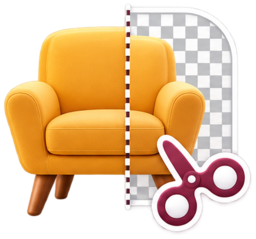
Remove background
Lift a person or a product cleanly off whatever was behind it.
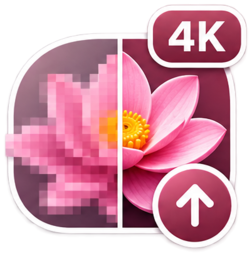
Upscale
Make a small photo large enough to print, without the blur.

Expand
Change a photo’s shape and let AI fill in the new space around it.

Pro Photo
Say where it is going, a profile, a story or a post, and get a professional version at that size.
One photo of you, many looks
Choose a look, add a clear photo of your face, and get a portrait in that style. These were all made from the photo on the left.
 Your photo
 Golden hour
 Studio noir
 Bridal glow
 35 mm film
 Soft pastel
Pay with credits
Every tool costs credits. Take a monthly PhotoACK Pro plan for credits each month and no ads, or buy a top-up once. If a request fails, the credits come back.
Three monthly plans and three one-time top-ups are listed inside the app, with the credits each one gives.
Prices are set in the App Store and Google Play and shown there in your currency before you pay.
Questions people ask
Draft. This text has not been reviewed or published yet. It may change, and parts in [brackets] are still to be filled in.
What can PhotoACK do?
Fix blurry or dull photos, remove backgrounds, make a photo larger, change its shape, create professional versions for social media, and apply AI looks to your photo.
Do I need to sign in?
No. You can use the app as a guest. Sign in with Google or Apple to keep your creations and credits if you change phones.
What are credits?
Each tool costs credits. You see the price on the button before anything is charged.
How do I get credits?
Buy a top-up, take a monthly plan, watch an ad, or invite a friend.
I paid but did not get credits.
Open Profile → Get credits → Restore purchases. If they still do not appear, write to [SUPPORT EMAIL] with the store receipt.
A photo failed. Did I lose credits?
No. If a request fails or you cancel it in time, the credits come back automatically and the app tells you.
PhotoACK is on its way to both stores
The iPhone and Android apps are not out yet. These buttons will open the store pages when they are.
- App StoreComing soon
- Google PlayComing soon